

In my previous post, I explained how the Frames mobile app helps you record camera settings, film stock, time, and location every time you head out with your film camera. For many film photographers, this bridges the gap between analogue shooting and digital organization. In this article, we’ll explore how that information is transferred to your scanned images as EXIF data—and how you can use it to search and organise your work in Adobe Lightroom.
Adding EXIF Data and Importing to Your Catalogue
Step One: Export Your Film File
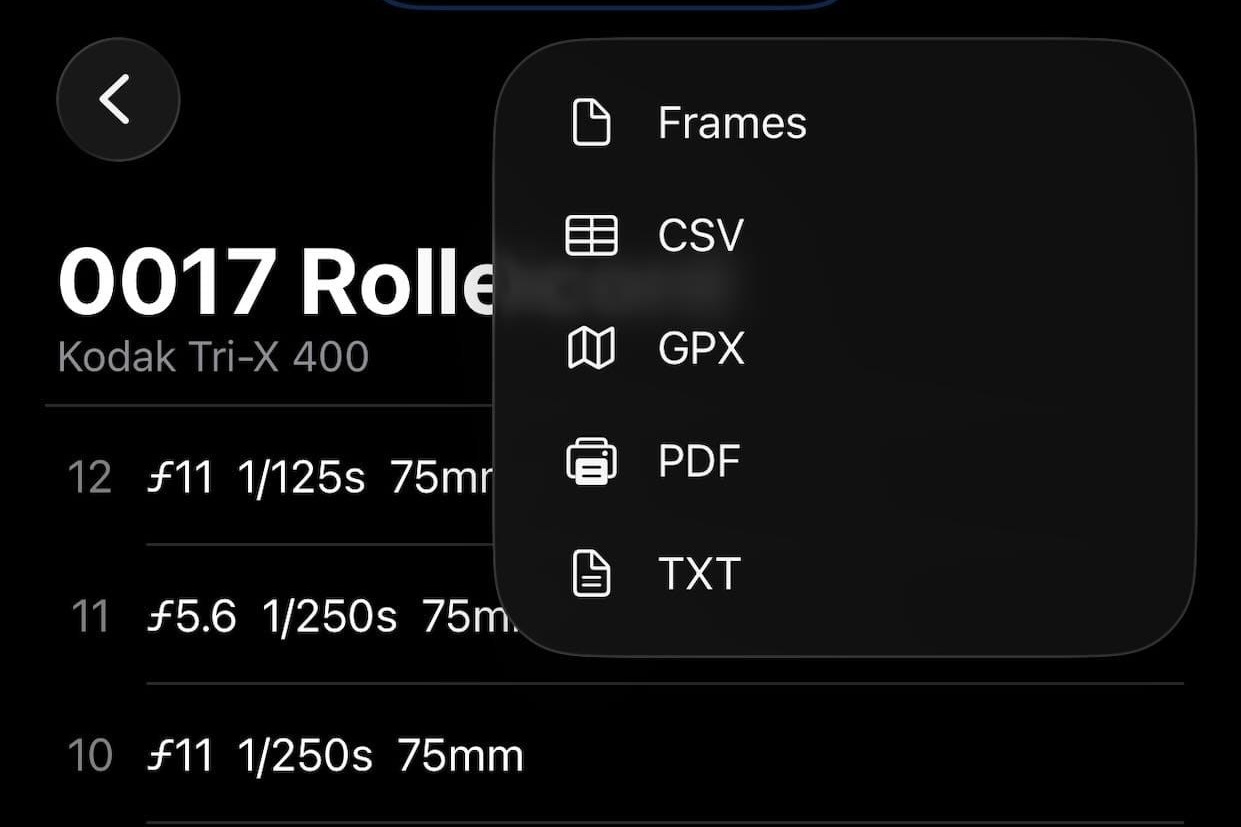
Start by exporting your film file from the Frames phone app so it’s ready to use on your desktop or laptop, where the data transfer takes place. Tap the share icon, select the.frames format, and choose a suitable save location. I use my desktop via iCloud for easy access.
Step Two: Add Data to Your Scans
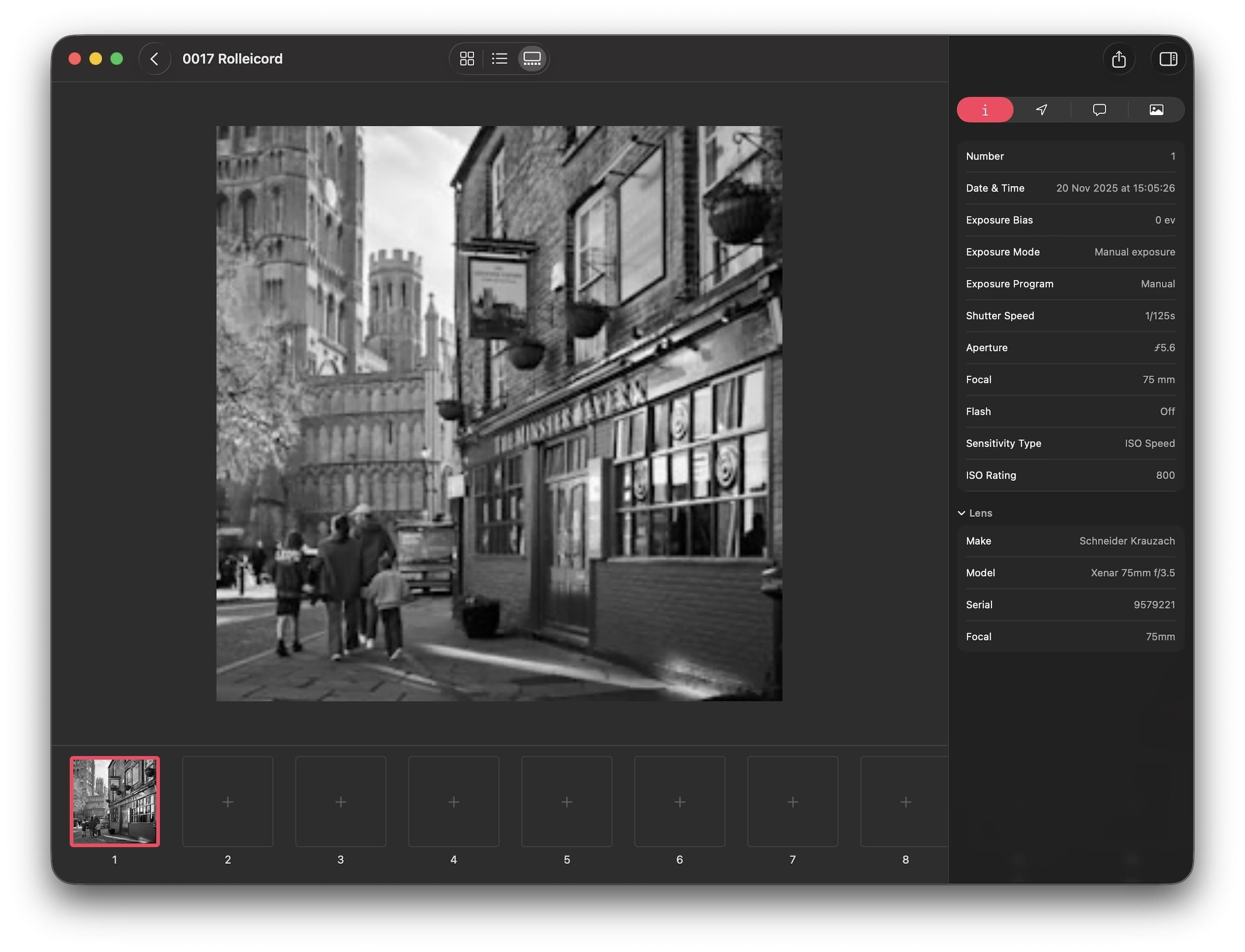
Next, open the Frames desktop application and add the metadata to your scanned images. This is a simple drag-and-drop process: match each scan to its corresponding frame position. Once complete, export the images to your chosen folder prior to catalogue import. Your files now contain embedded EXIF data.
Step Three: Import into Your Catalogue
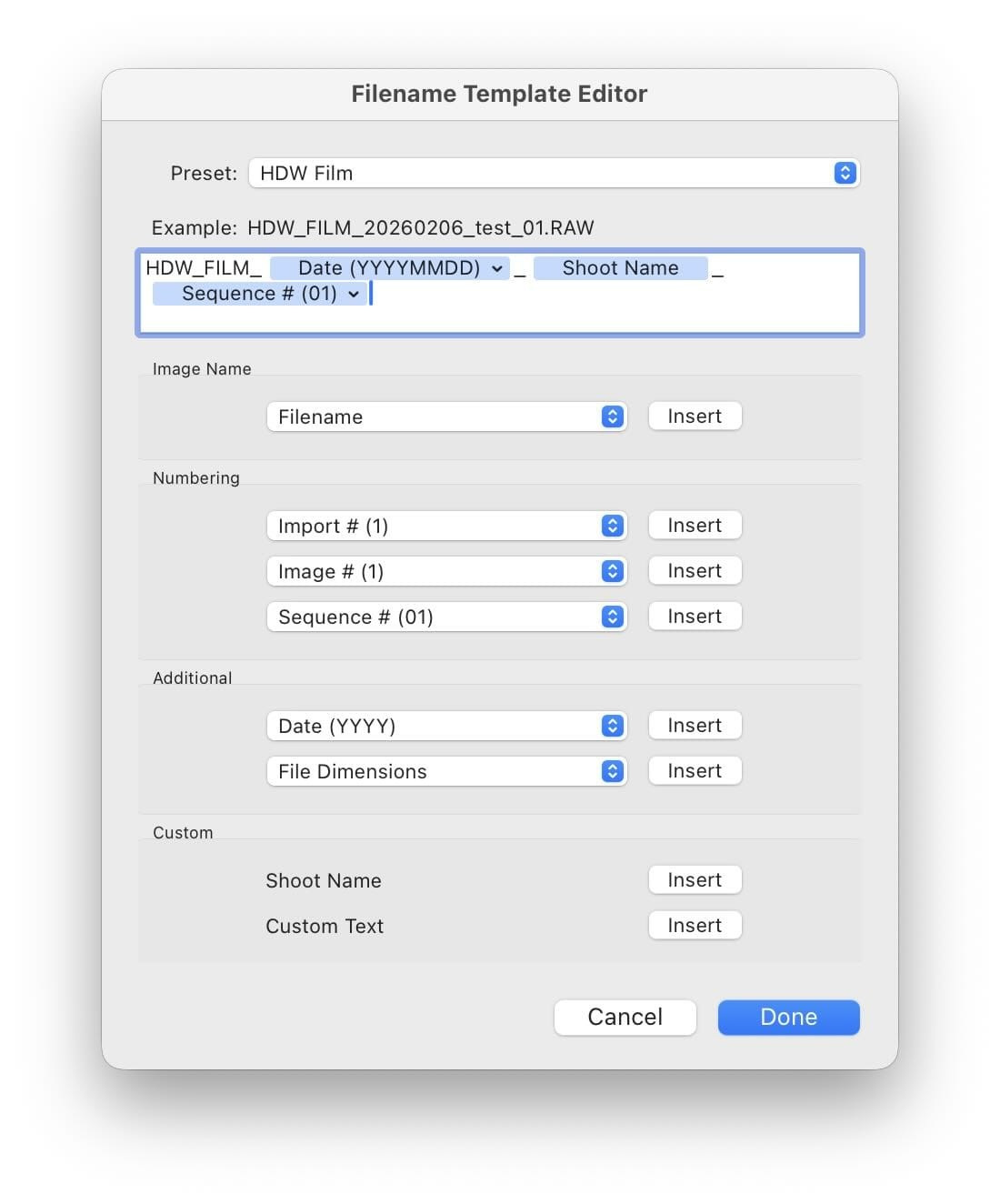
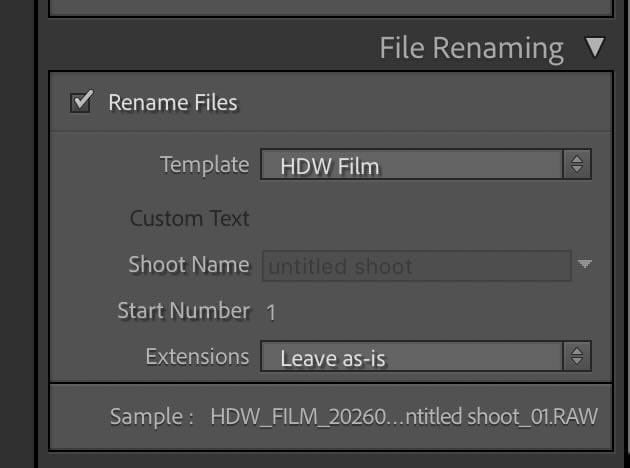
Now it’s time to bring your images into your cataloguing software. I use Adobe Lightroom Classic. During import, I rename the files to include the film roll number from Frames. This makes cross-referencing back to the Frames app easy later on. I do this using a custom Lightroom renaming template, entering the Frames roll number in the “Shoot Name” field.
Using the Data in Lightroom
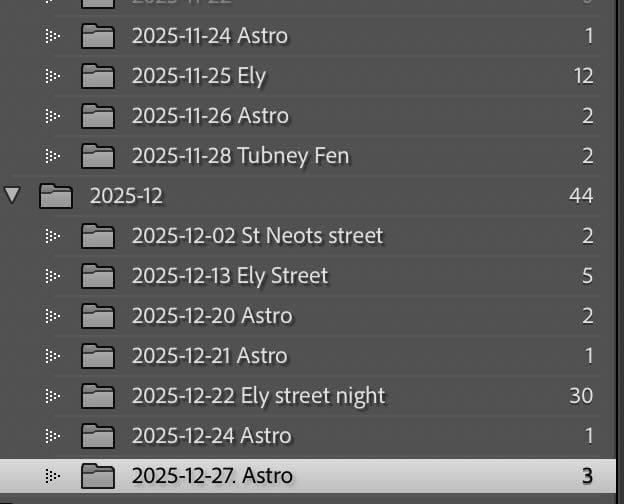
I’ve found that a combination of folders and smart collections works best for me in organizing a growing photo archive. On import, I have Lightroom set to sort images into its standard year/month/day structure. I then edit the folder names to include location and genre — this is useful for filtering folder visibility as the catalogue grows.
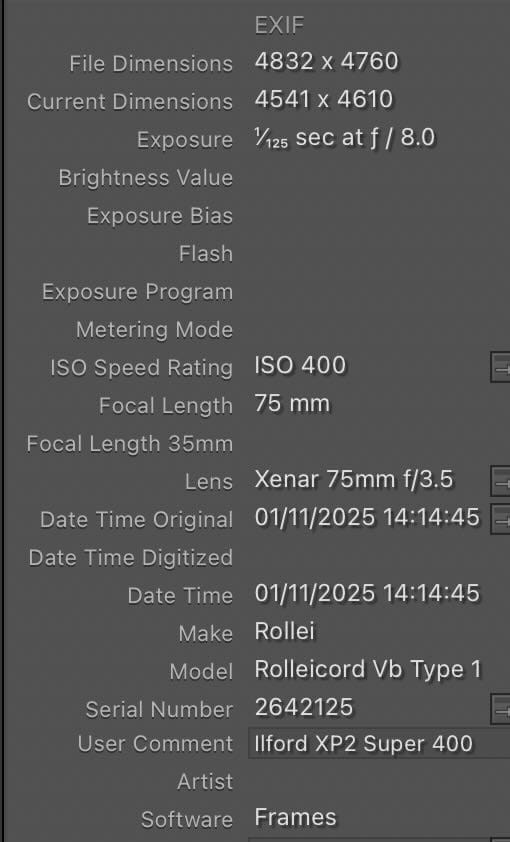
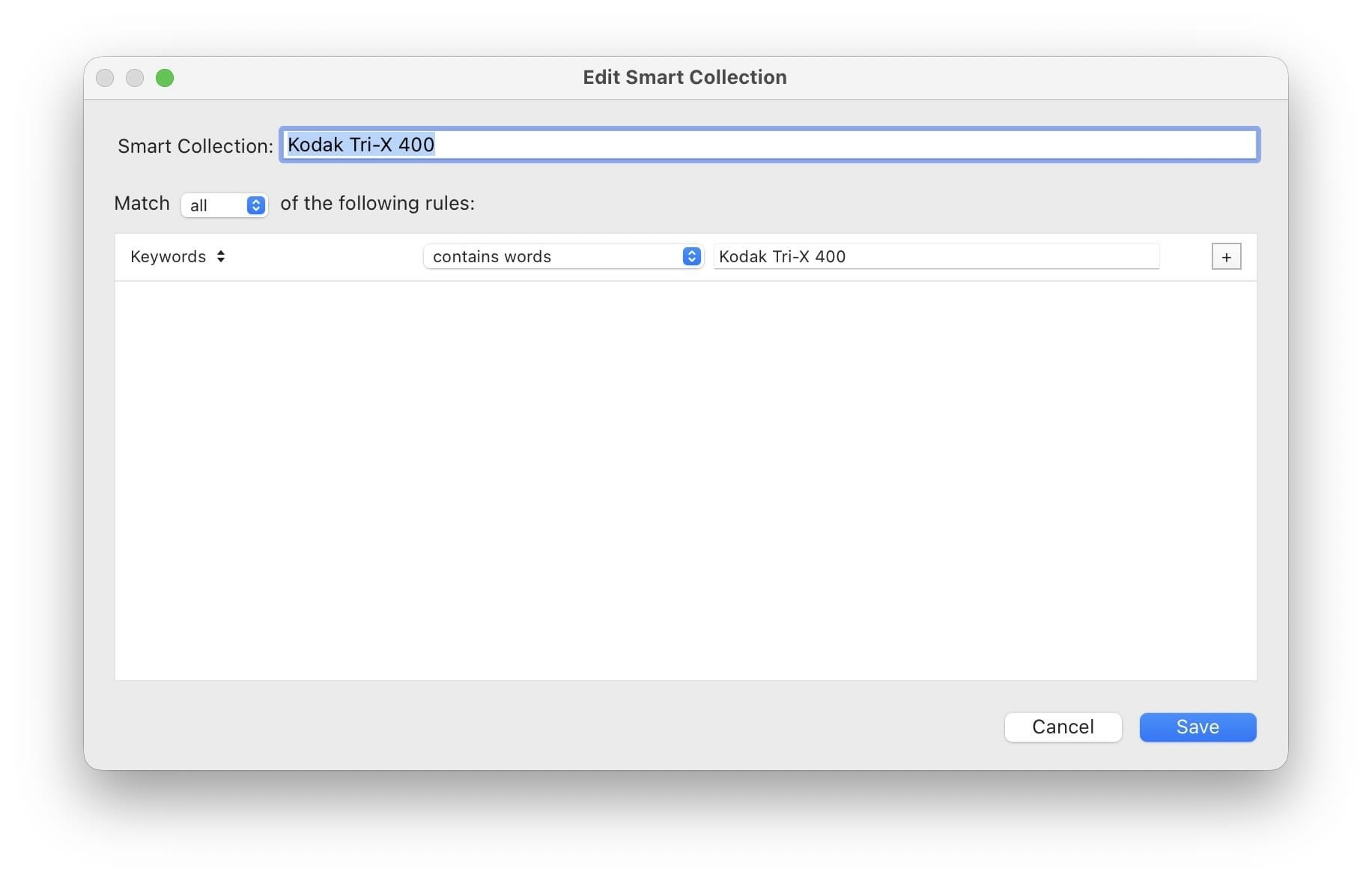
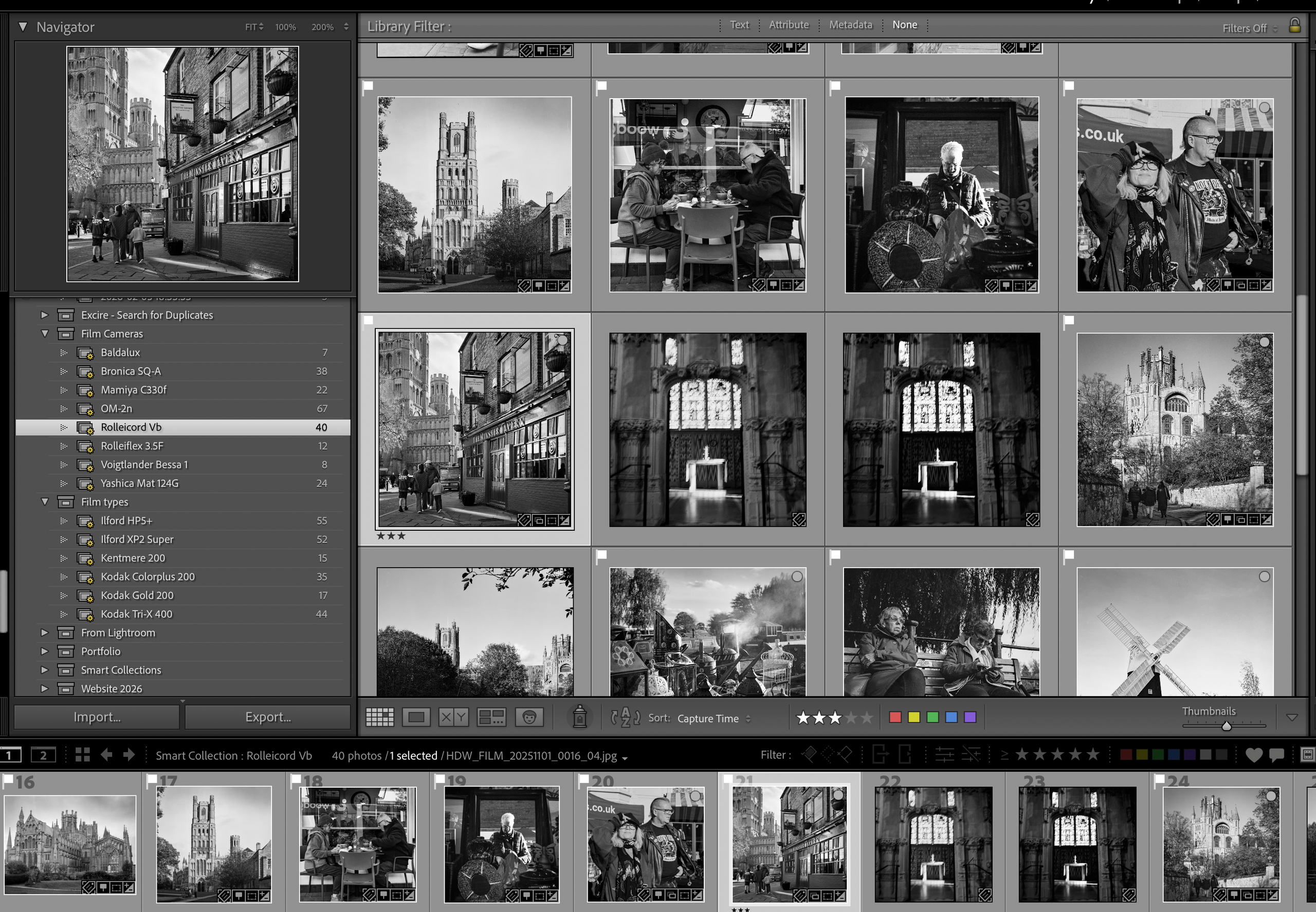
I also create smart collections for each film stock and each film camera I use. This makes browsing and comparing work quick and intuitive with images automatically added to the relevant collections on import.
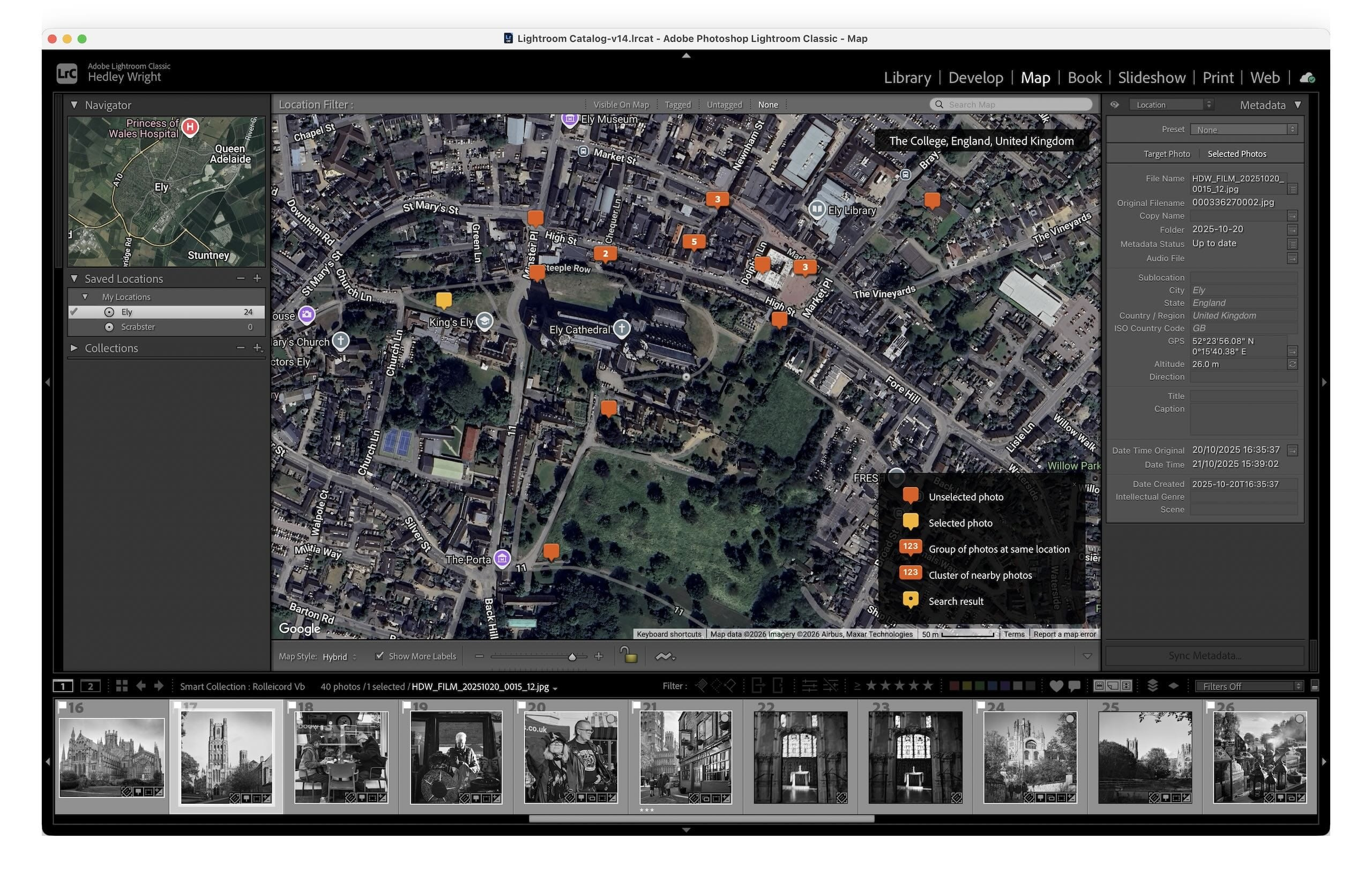
As Frames records location data when you enter shot details, Lightroom Classic’s Map module lets you view exactly where each photo was taken.
Summary
Recording EXIF data for film photography takes a little extra effort, but the Frames app keeps the process simple, fast and efficient. Once set up, this workflow adds long-term value to your archive, making your analogue work easier to manage, explore, and revisit. For film photography enthusiasts wanting to bring some organisation to their analogue images Frames is an application well worth trying.


